
Creating an SMS Campaign
1. Select Campaigns and click on +Create a Campaign button.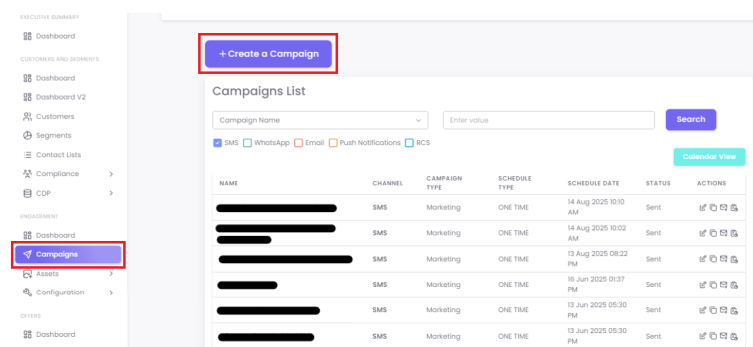
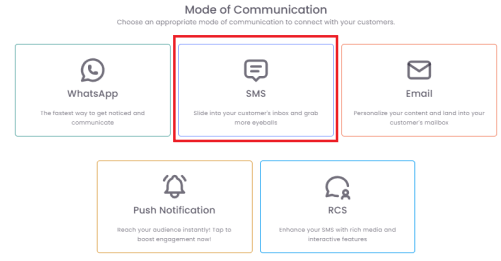
2. Select SMS from the available "Mode of Communication" options.
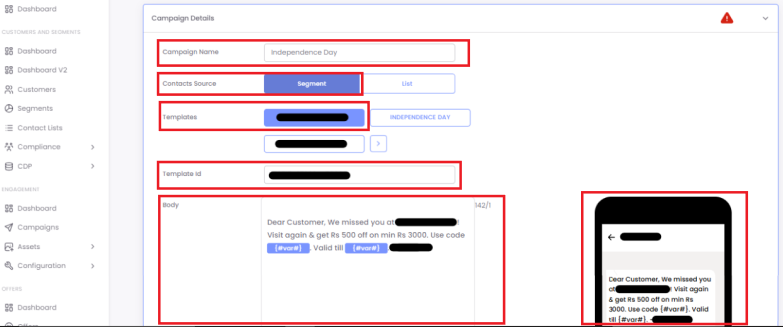
3. Provide a unique and descriptive name for your campaign and audience for your campaign.
4. Select a pre-approved message template or create a new template. (DLT approval is mandatory in India)
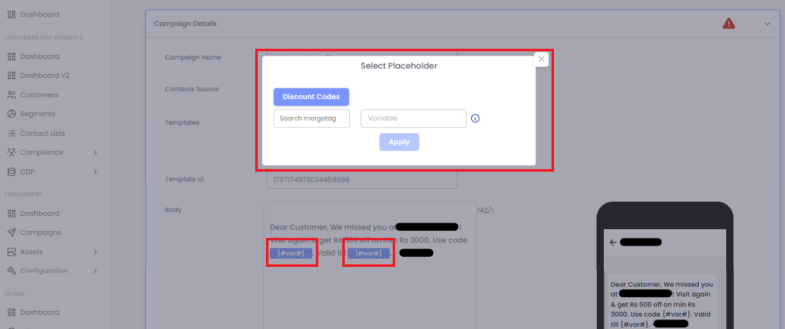
5. For personalisation, Click on Add placeholder to add the merge tags.
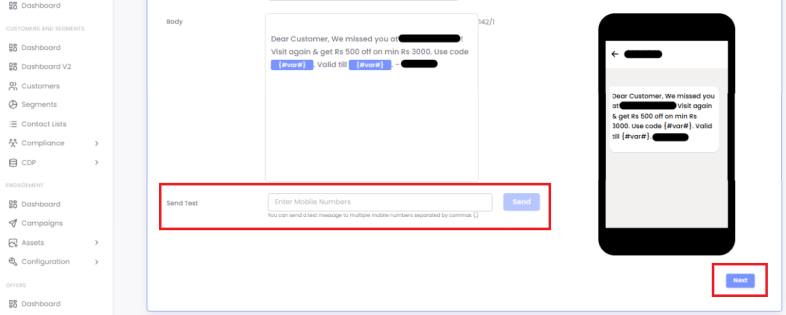
6. Send a test to yourself and click Next.
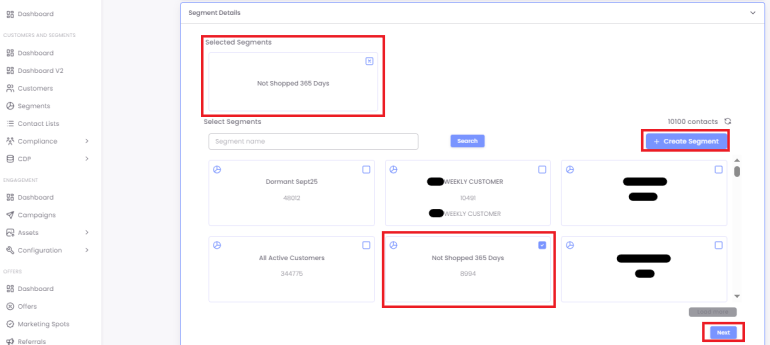
7. Select a segment or create a new one and click on Next.
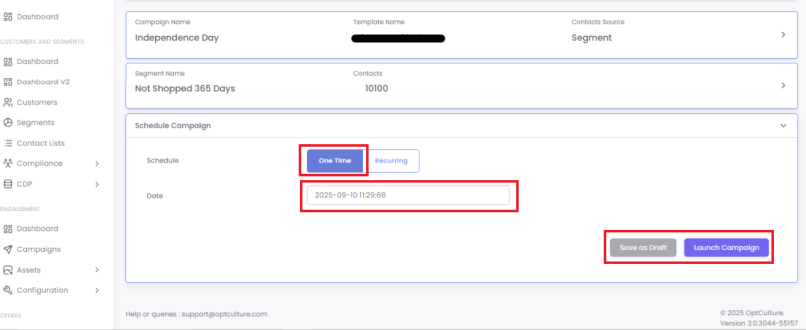
8. Choose Schedule type:
a. One-time: Campaign will be sent once as per the scheduled date and time.
b. Recurring: Campaign can be sent repeatedly, for example, on daily, weekly, monthly and yearly basis.
Ramp up - this feature helps you divide the chosen segment into small batches of unique contacts (this is done by entering a Send Volume) and send the same campaign to each of those batches.
For example, a segment consists of 10,000 contacts. If you want to send the campaign daily for 5 days such that the campaign reaches to all 10,000 contacts exactly once, you choose Daily, specify From and To dates, enable the send rate ramp up, and enter the send volume as 2,000. By doing this, the system will pick 2,000 unique contacts from the chosen segment and send the campaign until all the contacts have been covered.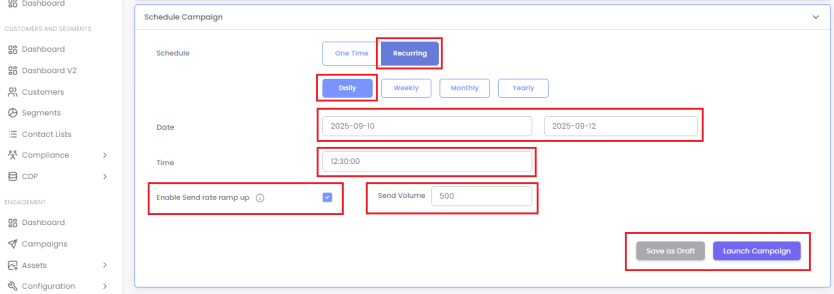
9. Once you've chosen your schedule, you can either click Save as Draft or Launch Campaign. Clicking Launch Campaign saves the campaign and sends it at the scheduled time.