Create a New Contact List
Step 1: Navigate and Create
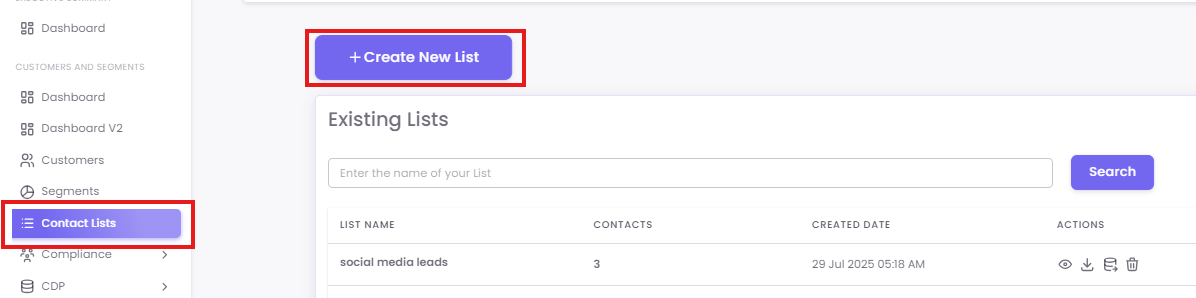
Step 2: Providing Insights
-
List Name: Give your list a clear and descriptive name (e.g., "August Webinar Leads").
-
Browse File: Click the Browse File button and upload the file (Must be in a CSV format)

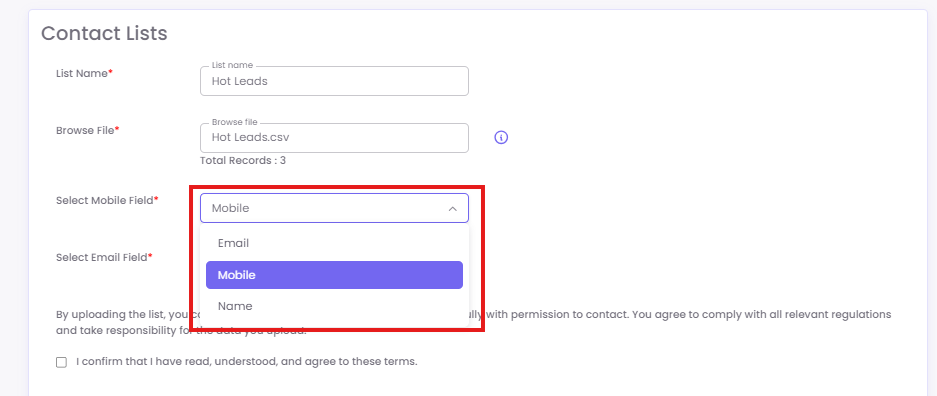
Step 3: Map Your Data Fields
After uploading your file, you must map the columns to the required fields in the system to ensure the data is correctly identified for your campaigns and the extra field can remain the same and can be for personalisation.
Step 4: Confirm Compliance
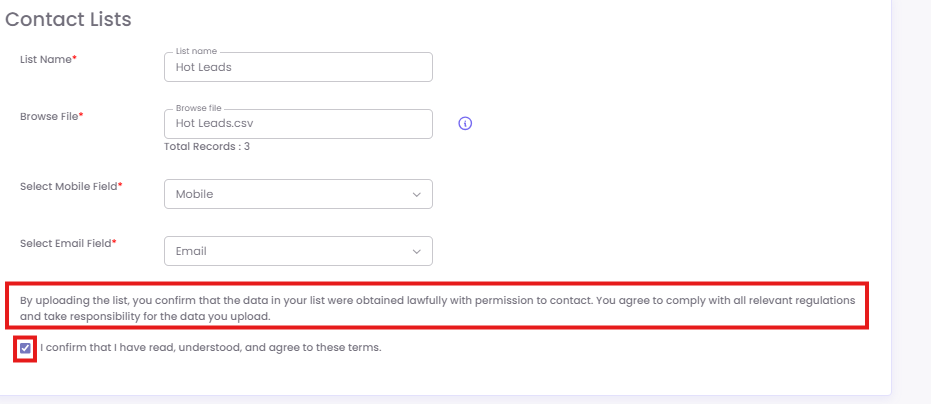
This is a critical step. Before saving your list, you must confirm that you have the legal right to contact the individuals on your list.
-
Read the compliance statement clearly and check the box to confirm that you agree to these terms.
Click the Save button to create your list.