Option B: Team or Enterprise plans
-
An Owner or Primary Owner must first go to Admin settings > Connectors and click Add custom connector.
-
The Owner enters the server URL, optionally sets the OAuth Client ID/Secret under Advanced settings, and clicks Add.
-
Each individual member must then open Settings > Connectors, find OptCulture (labeled Custom), and click Connect to sign in with their own credentials.
Steps to connect MCP to ChatGPT
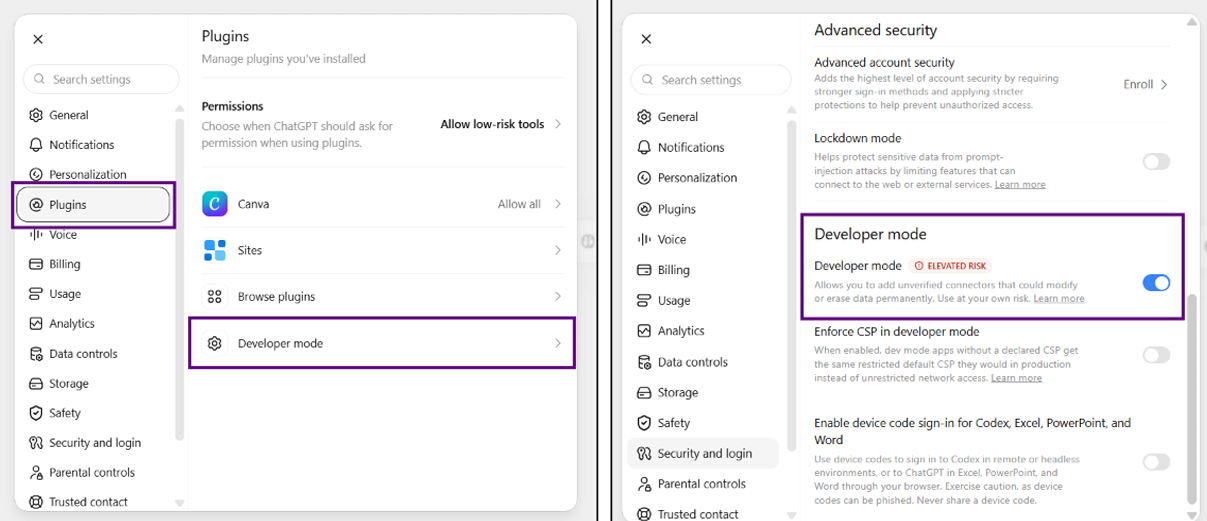
Step 1: Open Settings > Plugins.
Step 2: Click on Developer mode and toggle it to the ON position.
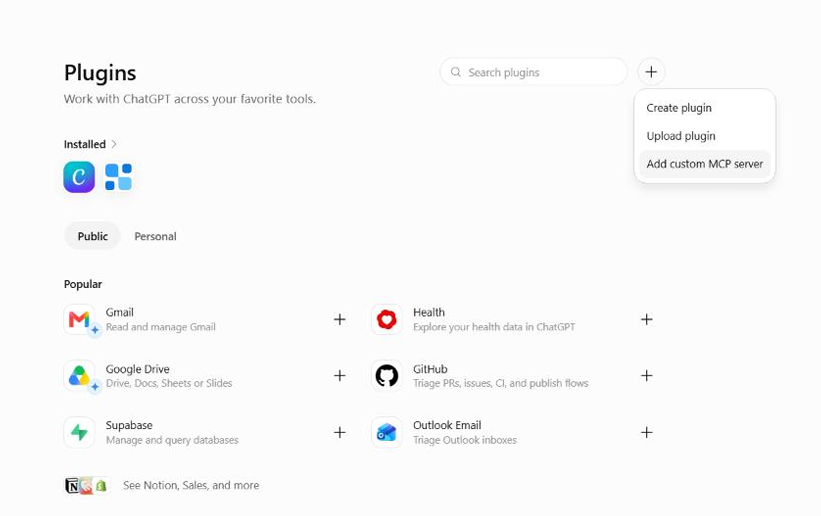
Step 3: Return to the main Plugins tab and click Browse Plugins.
Step 4: Click the + button, then select Add custom MCP server.
-
-
Note: This option only appears after Developer Mode is turned on.
-
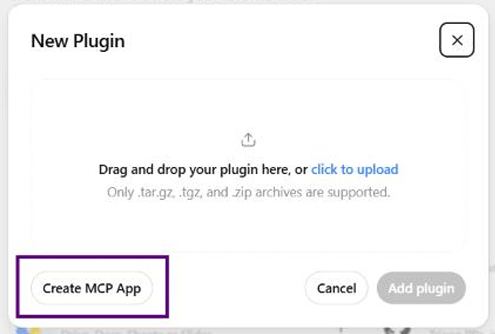
Step 5: Click Create MCP App.
Step 6: Fill out the configuration form with the following details:
-
-
Name: OptCulture.
-
Description: Enter a clear one-liner such as "Retail marketing, loyalty and campaign data from OptCulture". ChatGPT reads this description to decide when to use the connector.
-
Connection (Server URL):
[https://mcp.optculture.app/mcp](https://mcp.optculture.app/mcp). -
Authentication: Choose OAuth.
-
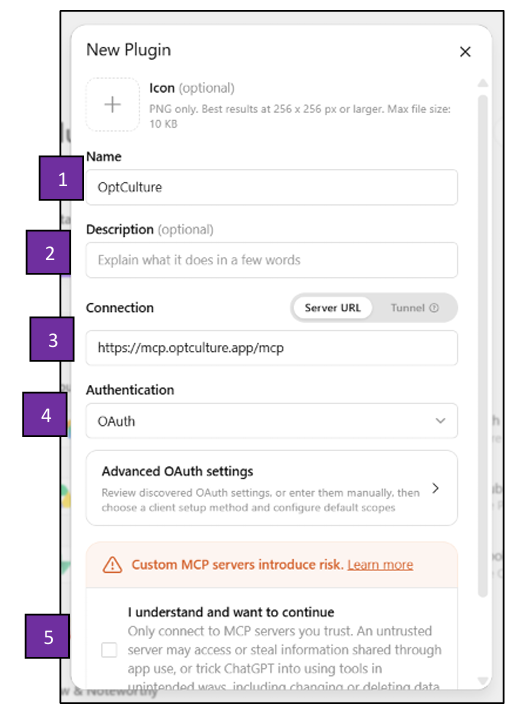
Step 7: Check the box to accept the trust prompt ("I understand and want to continue"), and click Create.
Step 8: Complete the sign-in window to finalize the connection.
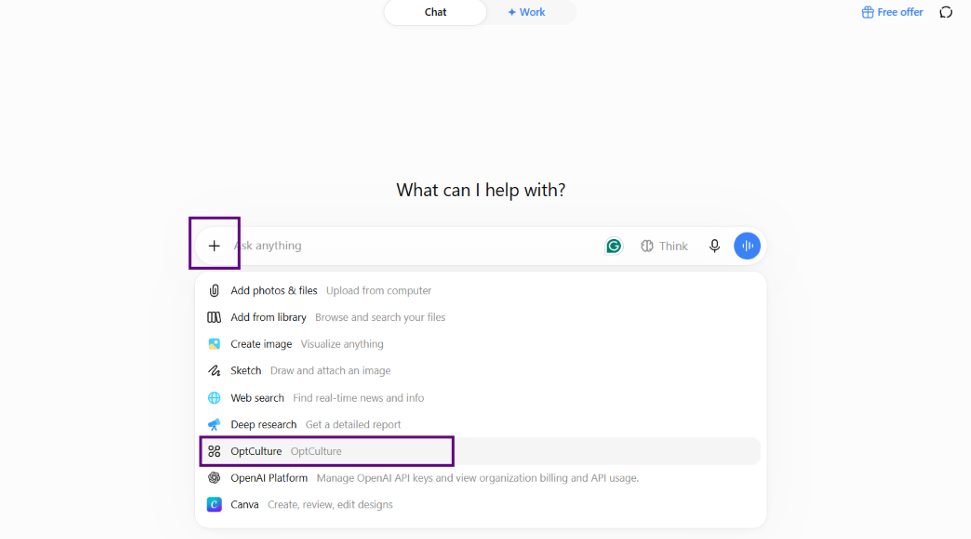
Step 9: To use the tool, start a new chat, click the + icon in the composer, open More, and select OptCulture. This step must be repeated for each new chat.