
Create a Loyalty Program
This guide will focus on creating a Tier-Based Program, as it is the most comprehensive. The steps are similar for other program types.
Step1: CreateNavigating theto Loyalty Program
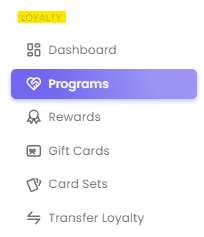
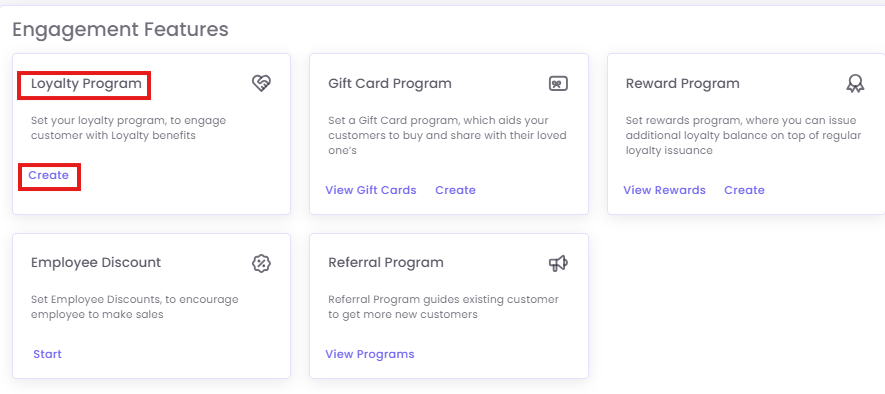
On the Loyalty Program dashboard, you can either Edit an existing program or click +Create Program.
Step2: Fill in the initial program details
-
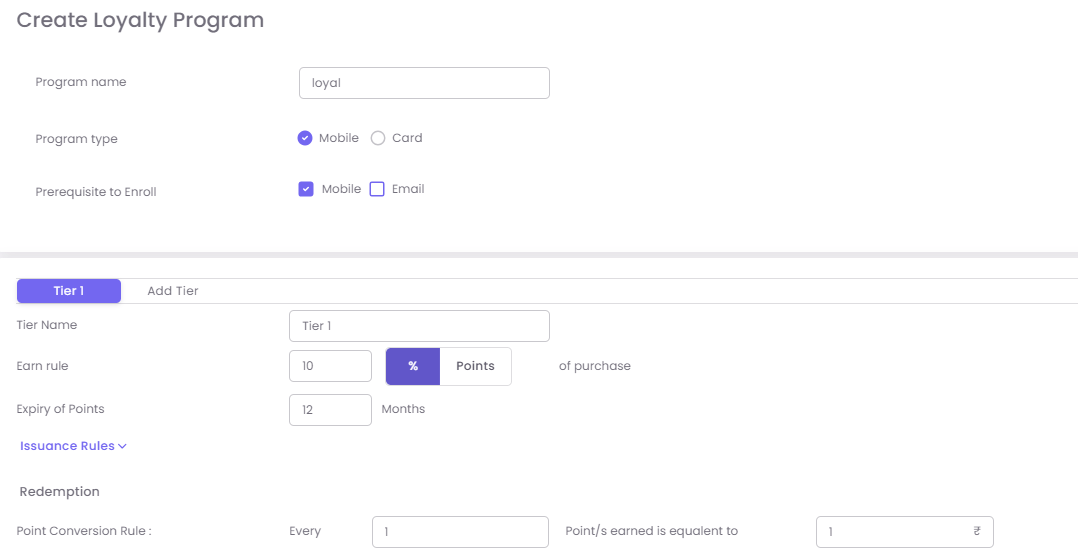
Program Name: A clear name (e.g., "Brand VIP Rewards").
-
Program Type: Choose Mobile (uses mobile number as identifier) or Card (uses a physical/digital loyalty card number).
-
Prerequisite to Enroll: Select whether a Mobile number or Email address is mandatory for a customer to join the program.
Step3: Configure Tiers and Rules
After creating the program, you will add one or more tiers. For a single-tier Points-Based program, you will only add one.
-
Click Add Tier to configure your first level (e.g., "Silver").
-
Fill in Tier Details:
-
Tier Name: The name of the level (e.g., "Silver," "Bronze," "Member").
-
Earn Rule: Define how customers get points. Select "Points" as the currency. For example, "Earn
2points for every$100spent." -
Expiry of Points: Set how long points are valid (e.g., "12 months from date of issue").
-
-
Add Issuance Rules (Optional): Define any specific conditions for earning points, such as only on specific product categories.
-
Add Redemption Criteria: Define the value of the points. For example: "Every
1000points can be redeemed for$10." -
Configure Tier Upgrade Rules: This is the most important part of a tiered program.
-
Set a Lifetime Purchase Value (LPV) limit for customers to cross into the next tier.
-
Example: To upgrade from this "Silver" tier to your "Gold" tier, the customer must have an LPV of
$500or more.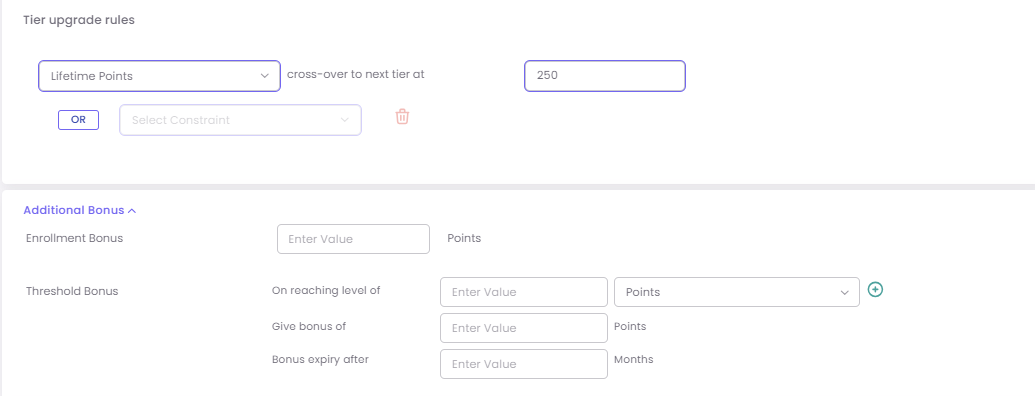
-
- Repeat this process for your other tiers ("Gold," "Platinum," etc.), each with its own (usually better) earn rules and a higher LPV requirement
- Save the tier.
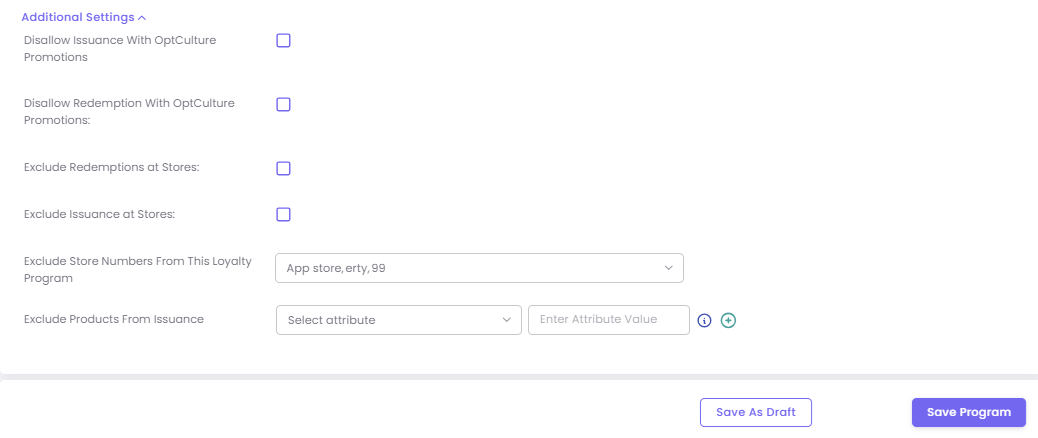
Example: Tier-Based Program Structure
| Tier Name | Earn Rule | Redemption Rule |
| Tier 1 (Silver) | Earn 2 points for every $100 spent. | 1,000 points = $10 |
| Tier 2 (Gold) | Earn 3 points for every $100 spent. | 1,000 points = $15 |
| Tier 3 (Platinum) | Earn 5 points for every $100 spent. | 1,000 points = $20 |
Add Other Reward Types
You can also set up additional bonuses to encourage enrollment and spending:
-
Enrollment Bonus: Give new members a gift for signing up (e.g., "Get 1,000 points when you enroll").
-
Threshold Bonus: Reward customers for hitting a specific milestone (e.g., "Get 100 bonus points when you reach 1,000 total points").