
Create a Coupon
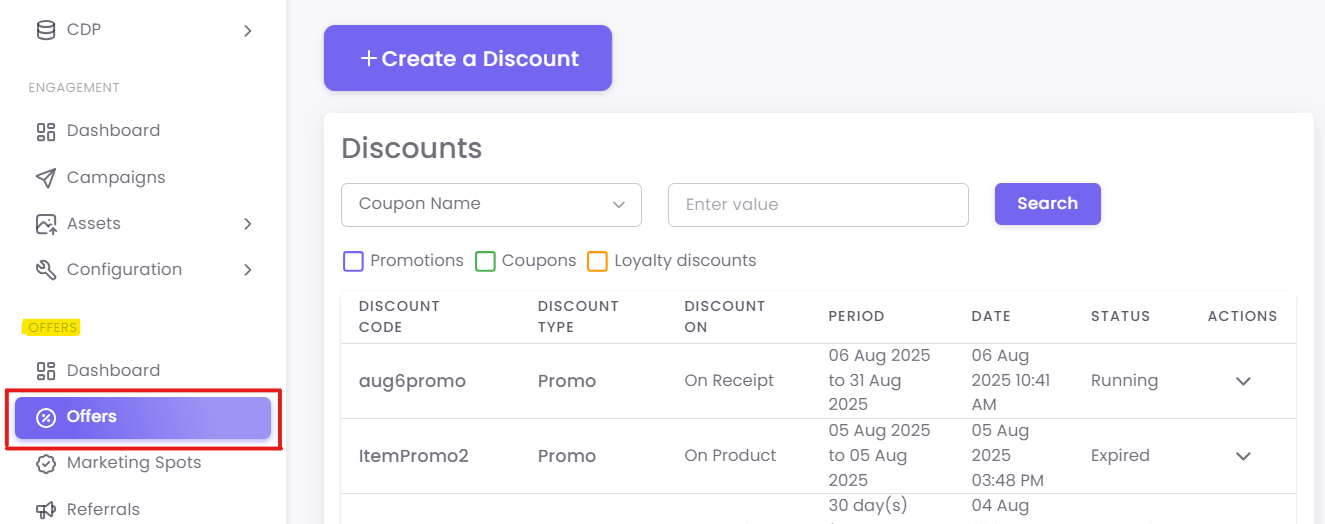
Step 1: Navigate to Discounts
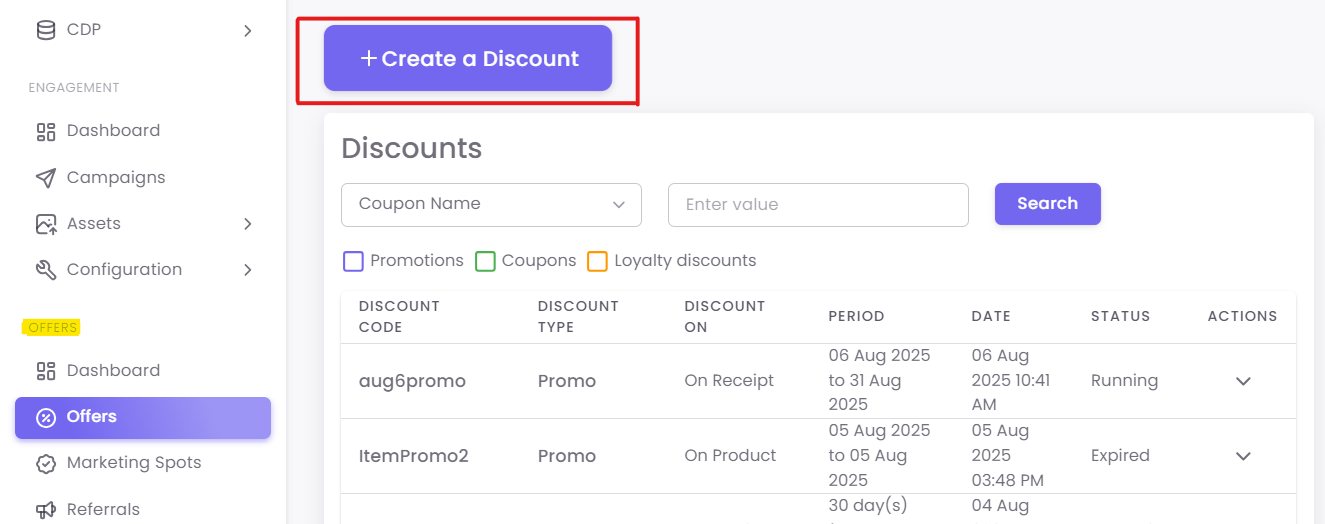
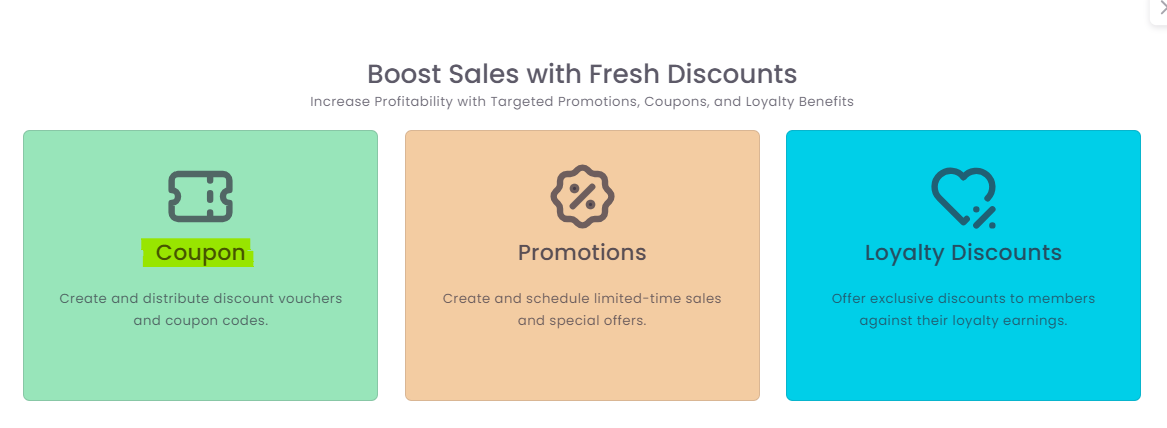
Click the +Create a Discount button and select Coupon.
Step 2: Enter Coupon Details
-
-
Coupon Code Name: An internal name for your reference (e.g., "Summer2024-15%Off").
-
Discount Amount/Percentage: Define the value, such as a fixed
$10off or15%off. -
Minimum Receipt Amount: (Optional) Set a minimum purchase value, like
$50, required to redeem the coupon. -
Validity Period: Set the start and end dates for the coupon.
-
OTP Authentication: (Optional) Check this box if you require a one-time password at the POS for redemption, adding a layer of security.
-
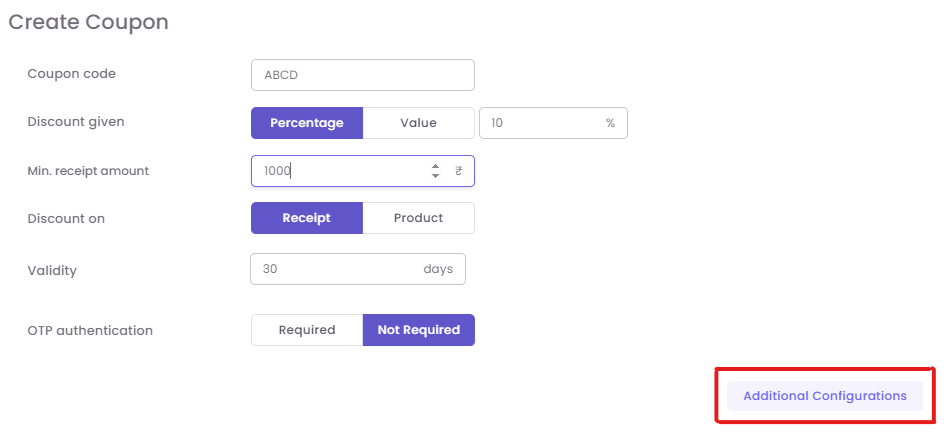
Step Add3: additionalConfigure configurations.Additional These can include fixed or dynamic validity, redemption on a promo item, OTP authentication,or rules of Discount Criteria.
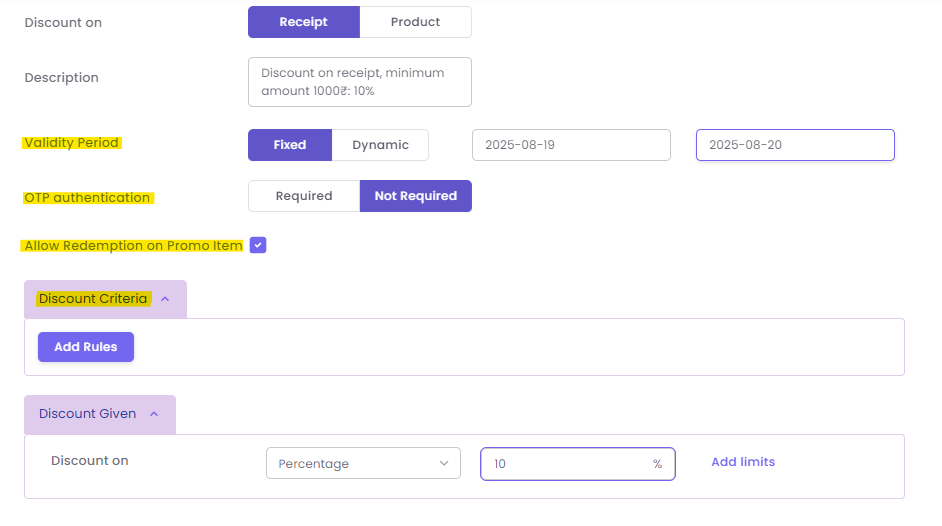
Add additional configurations. These can include fixed validity, redemption on a promo item, or OTP authentication.
Generate coupon codes
After the coupon is created, click on "Actions" and then "Generate Codes".
Settings:
Add additional configurations. These can include fixed validity, redemption on a promo item, or OTP authentication.
Generate coupon codes
-
AddValidity:theChooserequired details for the codes, such as the number of codes, code length, and generate typeFixed (e.g.,Alpha-numericvalid from Oct 1 to Oct 31) orNumeric)Dynamic (e.g., "Valid for 30 days from the date of issue"). -
YouRedemptioncanongeneratePromoupItem: Check this to10,000allow customers to use this couponcodesonatitemsonce.that are already on sale. -
YouRulesalsoofhaveDiscounttheCriteria:option to "Upload Codes". If you choose to upload codes, your Excel/CSV file should have one column with the coupon code. If the coupon needs to be assigned, the uploaded file must have "Coupon Code" and either "email" or "Mobile Number" columns.Click "Submit" to complete the process.
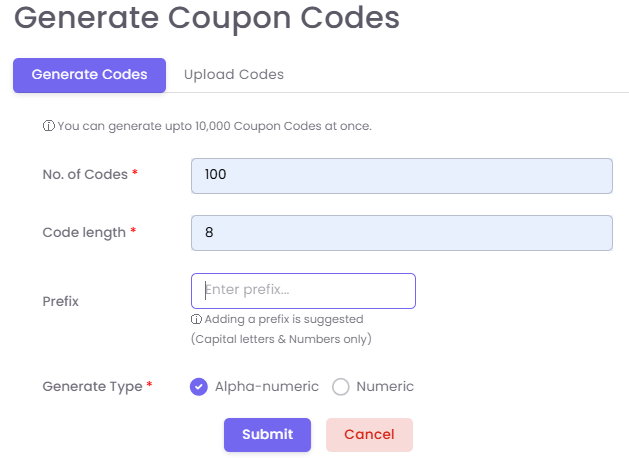
Once the codes are generated, they can be issued via campaigns and tagged toAdd specific customersrules, tosuch avoidas fraud.limiting The option to quickly issue athe coupon to a specific product category, brand, or customer istier.
Click Save to create the "Quickcoupon Coupon" section in Customer 360.template.