
How to Generate Coupon Codes
Once you have created the coupon template, you must generate the unique codes to be distributed.
- Find your newly created coupon in the Offers list. Click the Actions menu (three-dot icon) and select Generate Codes.

- Add Code Details:
-
Number of Codes: Enter the total quantity you need (e.g.,
5000). You can generate up to 10,000 at a time. -
Code Length: Specify the length of the code (e.g.,
8).
-
Generate Type: Choose from Alpha-numeric (e.g., SAVE20N1), Numeric (e.g., 88124560), or Alphabetic.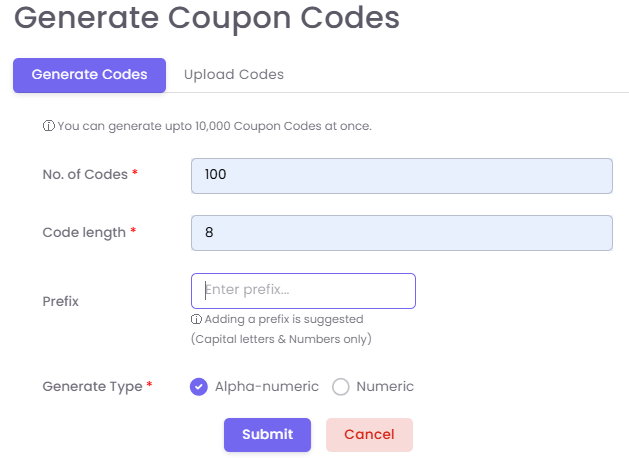
Click Submit. The system will generate the codes in the background.