Configuring OTP Alerts
This type is used for transactional activities that require verification via OTP.
Step1: Navigating to OTPs
-
From the pop-up, select the OTP icon.
-
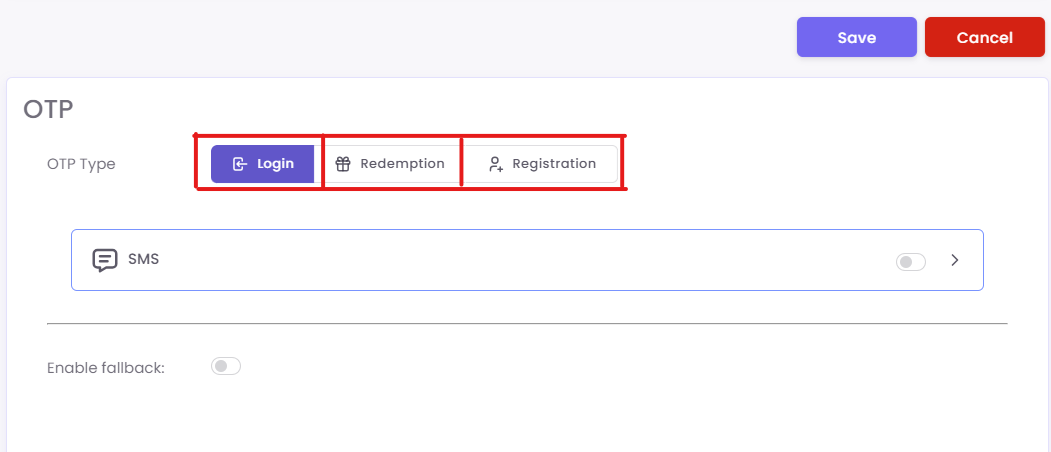
Choose one of the OTP categories:
-
Login: For account login verification.
-
Redemption: For voucher, offer, or loyalty redemption.
-
Registration: For new account creation verification.
Step2: On the configuration page
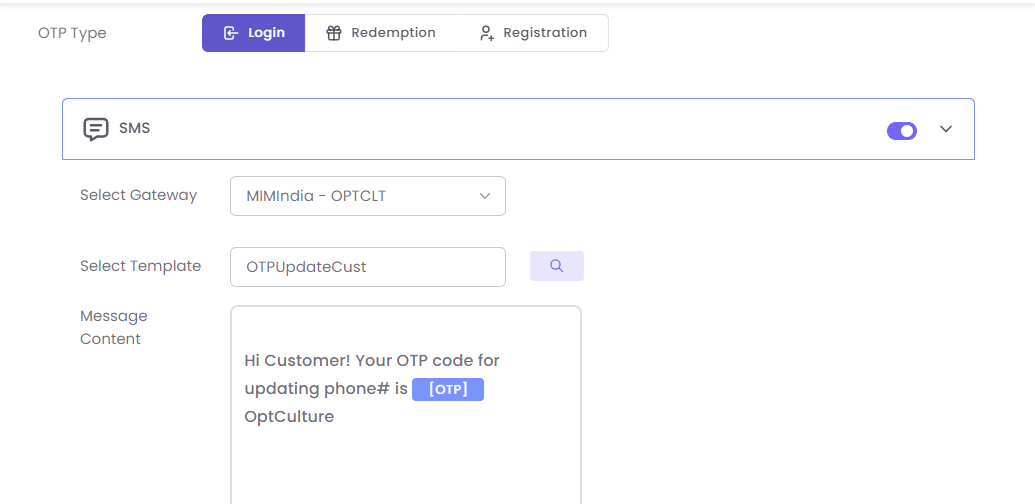
- Toggle ON the SMS or Email channel.
- Select a Gateway (e.g., Equence - 615163).
- Choose a pre-approved Template from the dropdown.
- The Message or Email Content box will auto-fill with template data (e.g., "Your OTP is {#var#}").
Step3: Save to activate
Click Save to activate the alert.
Example Template Content: