
Step-by-Step Implementation
A. E-Receipt Recommendations
Transform routine post-purchase receipts into targeted upsell opportunities:
Go to Marketing → Templates → Add New Template → Transactional → e-receipt.
Verification: Confirm the e-receipt canvas and block library are visible.
Drag and drop the Picked For You custom recommendation card into your layout.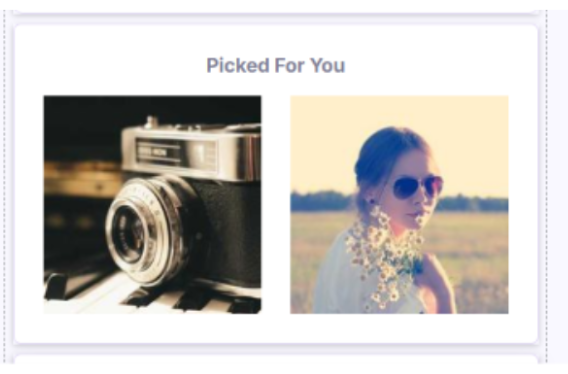
Verification: Verify the recommendation container renders inside your template canvas.
Click Edit Configuration on the block:
-
Recommendation Strategy: Choose Customer Persona (personalized via trained model) or Best Sellers (fallback default).
-
Number of Products: Display up to 6 recommended items.
-
Product Scope: Select Similar Products Only, Complementary Products Only, or Both relative to items on the receipt.
Verification: Save configuration and confirm setting values reflect in the editor sidebar.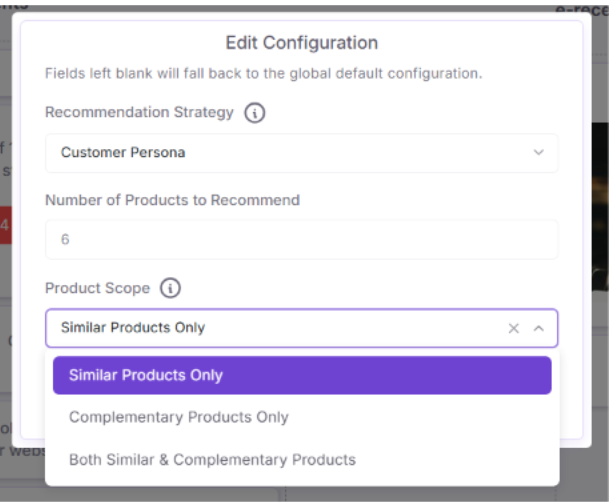
B. Email Campaign Recommendations
Embed recommendations directly into email campaign templates using dynamic merge tags:
-
Insert Dynamic Merge Tags: Drag tag placeholders for image, name, price, URL, description, or department into standard product rows.
-
Build Custom Grids: Duplicate the merge tag set across rows to construct a grid of up to 6 products.
- Guardrails: OptCulture blocks scheduling if a campaign exceeds 6 recommended products, keeping load times and layout consistent.
C. WhatsApp Campaign Recommendations
-
Create or select a qualifying WhatsApp carousel template requiring an image header and dynamic URL button per card.
-
Toggle Product Recommendations to ON for the carousel card. OptCulture automatically fills image links and button target URLs with dynamic recommendation parameters.
-
Disabling the toggle instantly restores your original static template content without manual data entry.