
Creating the Referral Offer
This is the coupon you will give to the newly referred customer to incentivize their first purchase.
Step1: Navigating to RefrerralReferral
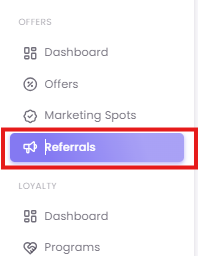
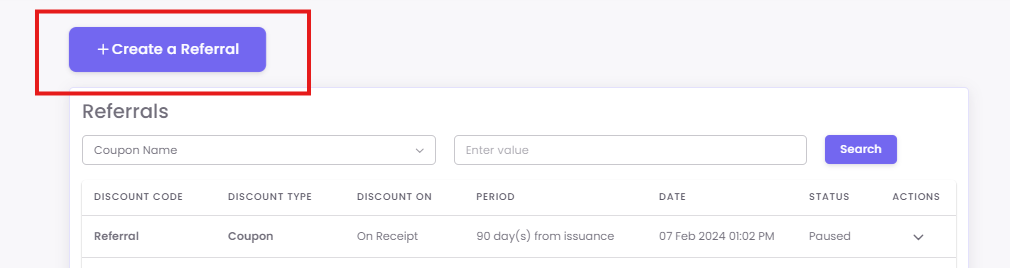
This page lists all your existing referral offers. Click the + Create a Referral button to start.
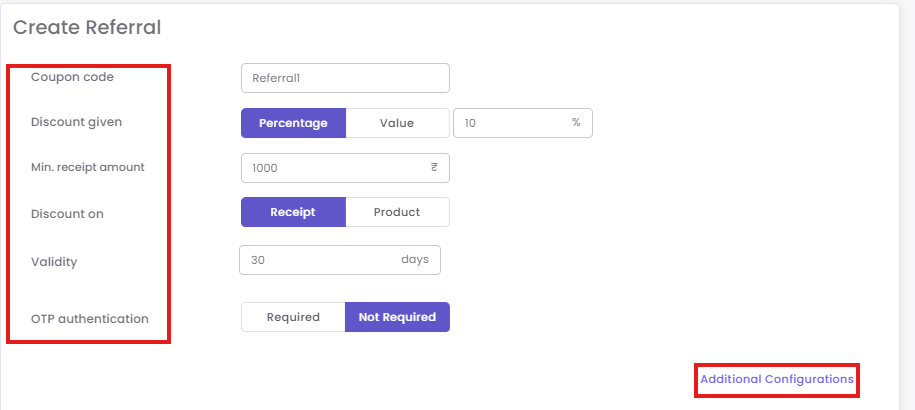
Step2: Add the Required Details for new customer's coupon
-
Coupon Code Name: An internal name (e.g., "New-Referral-20%-Off").
-
Discount Amount or Percentage: The value the new customer gets (e.g.,
20%). -
Minimum Receipt Amount to Redeem: (Optional) The minimum purchase value required.
-
Validity Period: The start and end dates for the offer.
-
OTP Authentication: (Recommended) Check this to require a one-time password at the POS for added security.
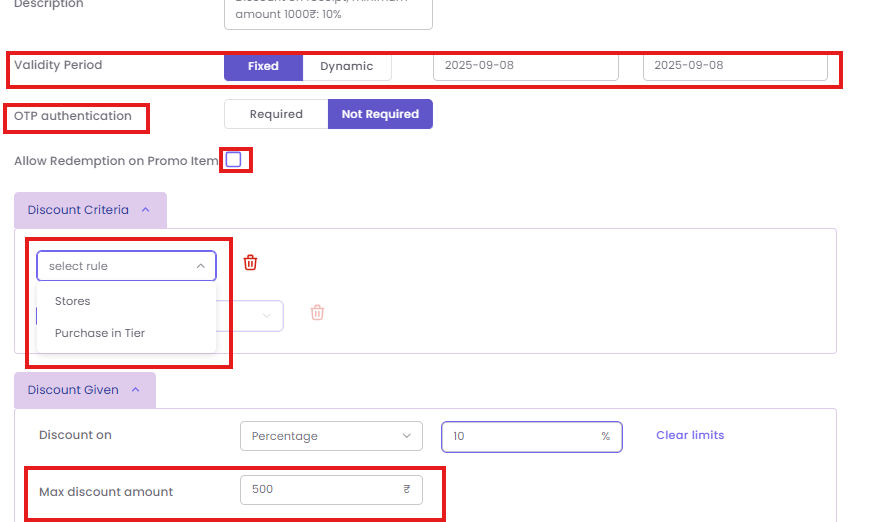
Step3: Add Additional Configurations
-
-
Validity: Choose Fixed (e.g., valid for all of Q4) or Dynamic (e.g., "valid for 30 days from date of issue").
-
Redemption on a promo item: Check this to allow the coupon to be used on sale items.
-
Rules of Discount Criteria: Add specific rules, like limiting the discount to certain products or categories.
-
Discount Given (Limits): Set a Max discount amount (e.g., a
20%discount cannot exceed$500).
-
Step4: Save the Referral Offer
Click Save to create the referral offer.
