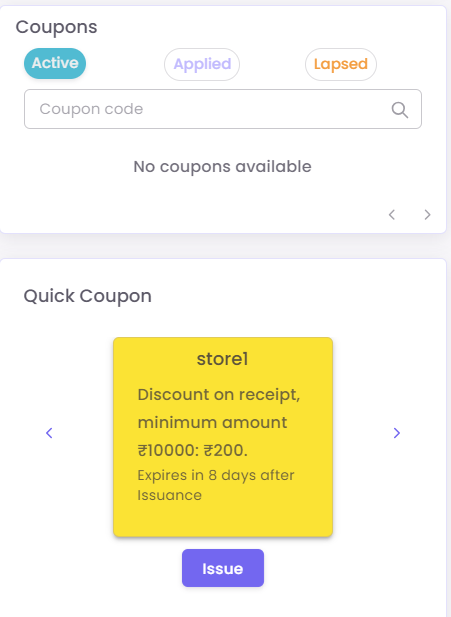
Part 2: Understanding the C360 Dashboard
The C360 View is organized into several key sections to give you a complete picture of the customer at a glance.
-
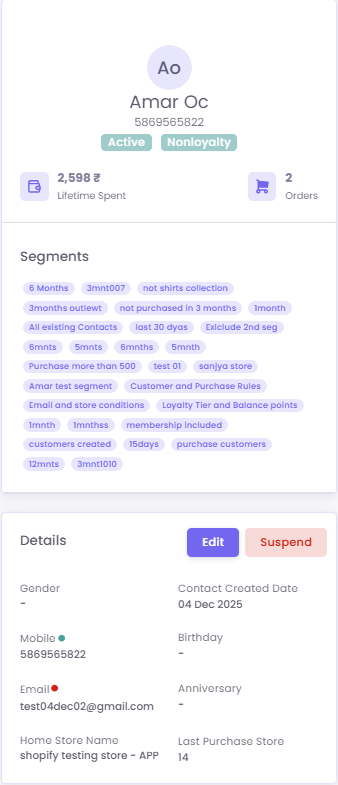
A. Profile Summary:
Provides the Customer Information. You can also see their total Lifetime Spent and number of Orders.
-
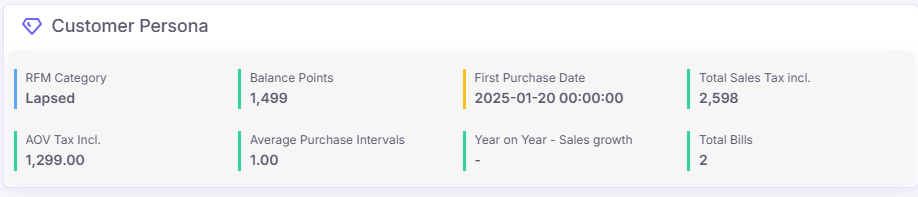
B. Customer Persona:
Customer Persona section highlights an "RFM Segment" of customer with 2 total bills, totaling 2,598 in sales, and an Average Order Value of 1,299.00. It also displays their available balance points (1,499), first purchase date (2025-01-20), and average purchase intervals (1.00).
-
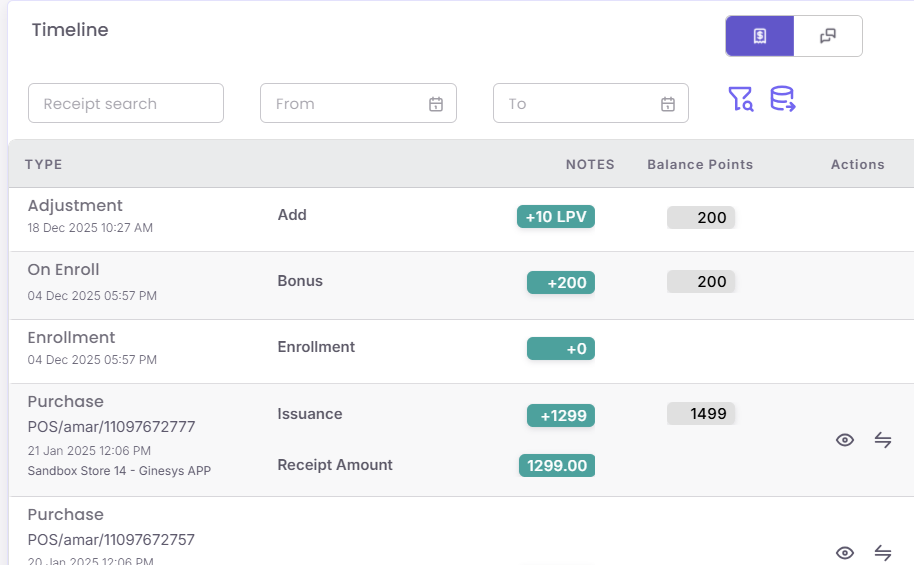
C. Timeline:
This gives overala transaction details of the customer.
-
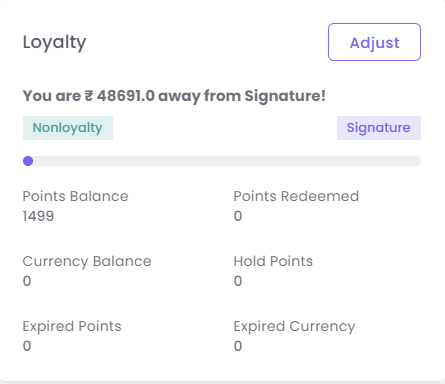
D. Loyalty:
- E. Coupons: