Navigate to Notifications
Step1: Navigating to the OTP & Alerts Section
- to
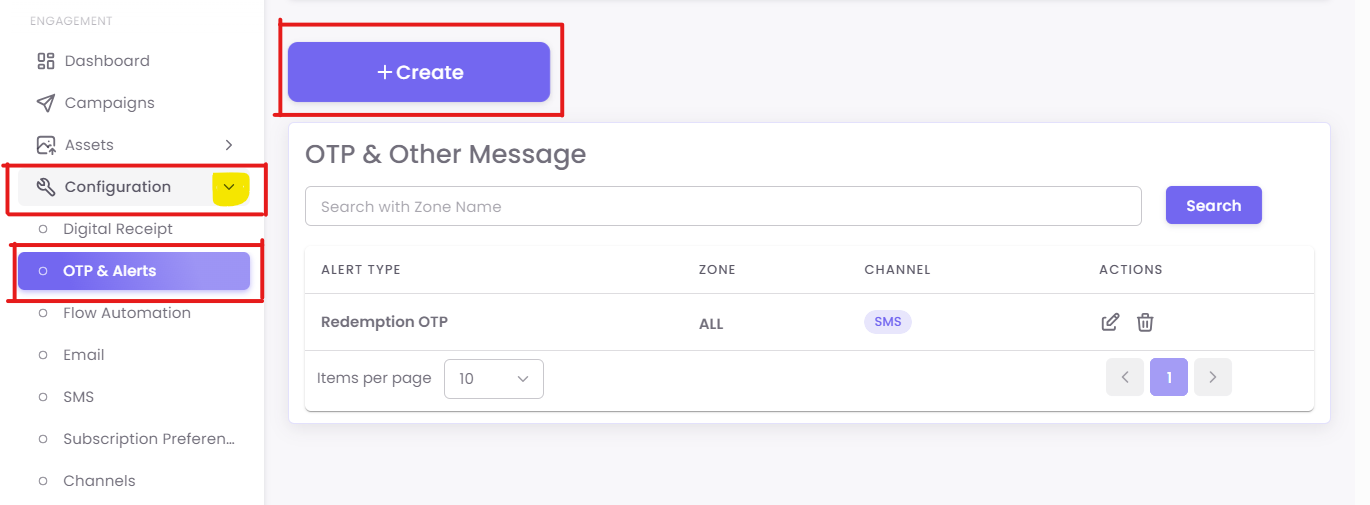
FromLoyalty > Notifications in themainleftdashboard,menunavigateandtoclick theleft-hand+menuAdd new.dropdown menu. Click onConfigurationunder theEngagementsection.Then, selectOTP & Alerts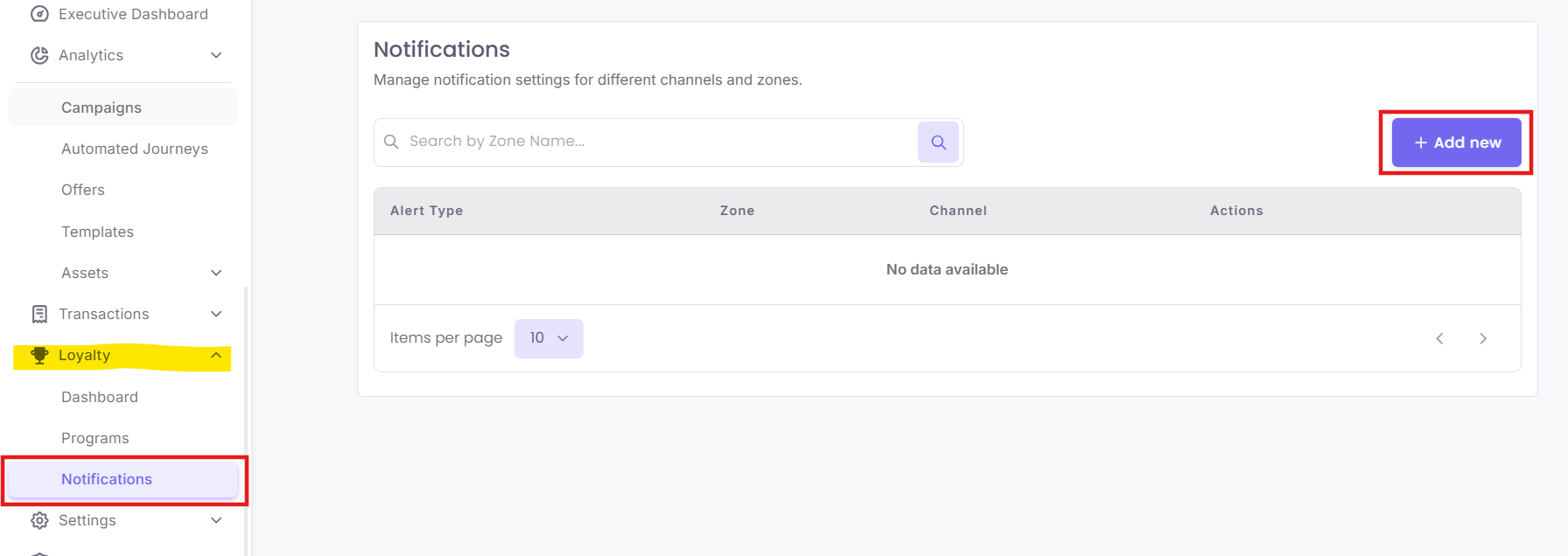
from the submenu.
Step2: Creating a New Alert
To create a new alert:
-
Click the +
CreateAdd new button on the top right.
-
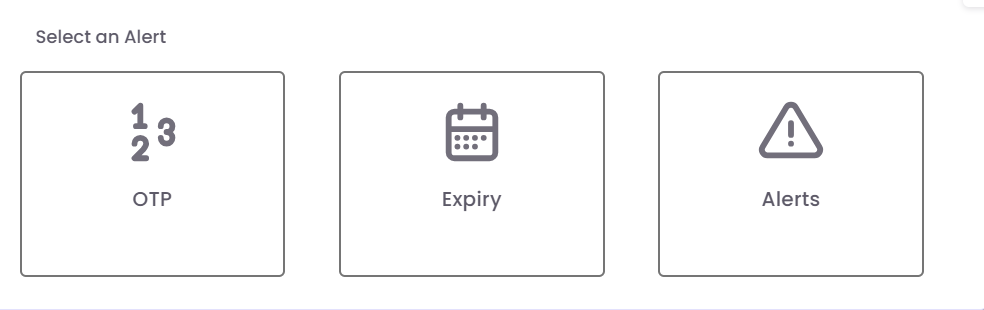
A pop-up window will appear prompting you to select the alert type:
-
OTP
-
Expiry
-
Alerts