Campaign Analytics Report
The Campaign Analytics Report is a powerful diagnostic tool within OptCulture designed to provide deep insights into your marketing performance. By centralizing data from your email, SMS, and automation workflows, this report allows you to track engagement, measure conversion rates, and understand the direct revenue impact of your communications.
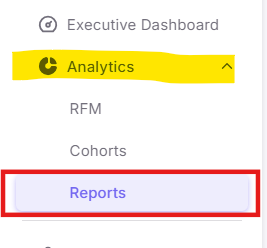
Step 1: Accessing the Reports Dashboard
Step 2: Locating the available Reports
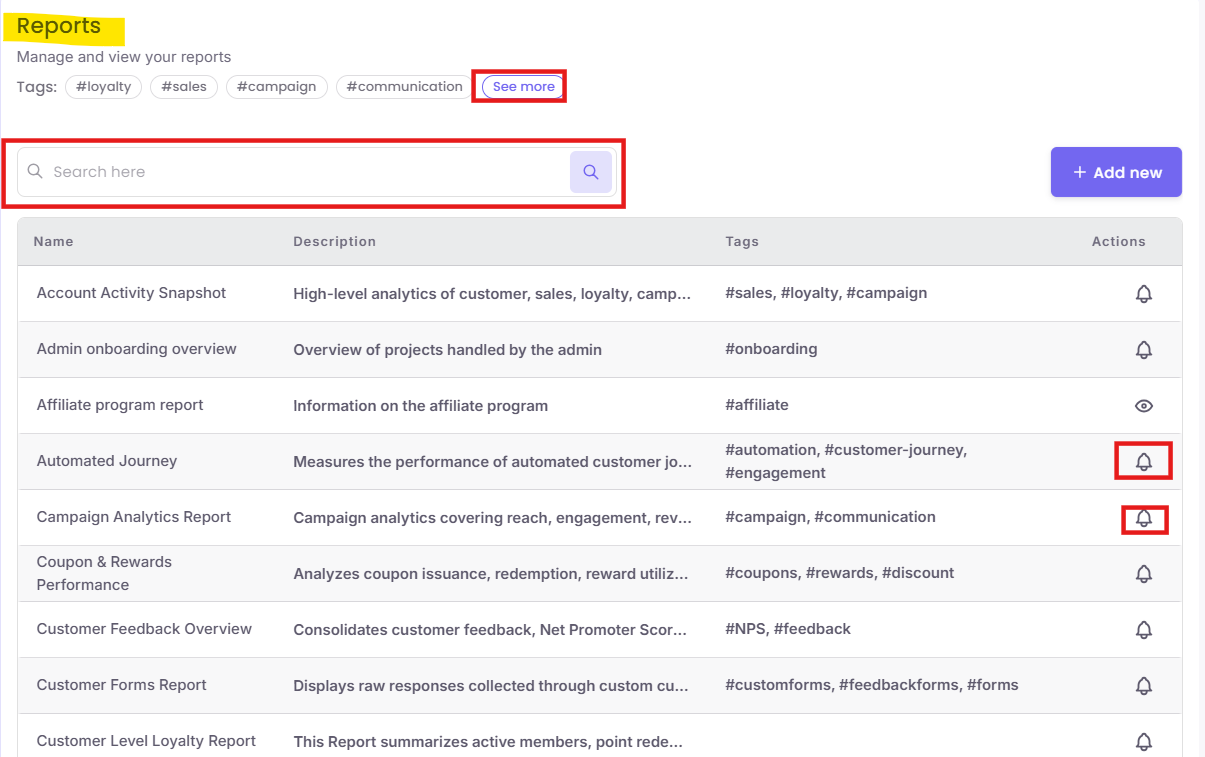
The dashboard contains a variety of reports. You can quickly find the required module using the organization tools provided.
1. Filter and Search
-
Search Bar: Type "Campaign" into the search box at the top right to filter the list instantly.
-
Tags: Click on the
#communicationor#dashboardtags to see related reports. -
See More: If the tag you need isn't visible, click the See more link to view the full category list.
Step 3: Subscribing to the reports
To ensure your team stays informed without manually checking the dashboard, you can schedule automated email or SMS reports.
-
Find the "Campaign Analytics Report" row.
-
Click the Bell button in the "Actions" column.
Configuring Your Report Subscription
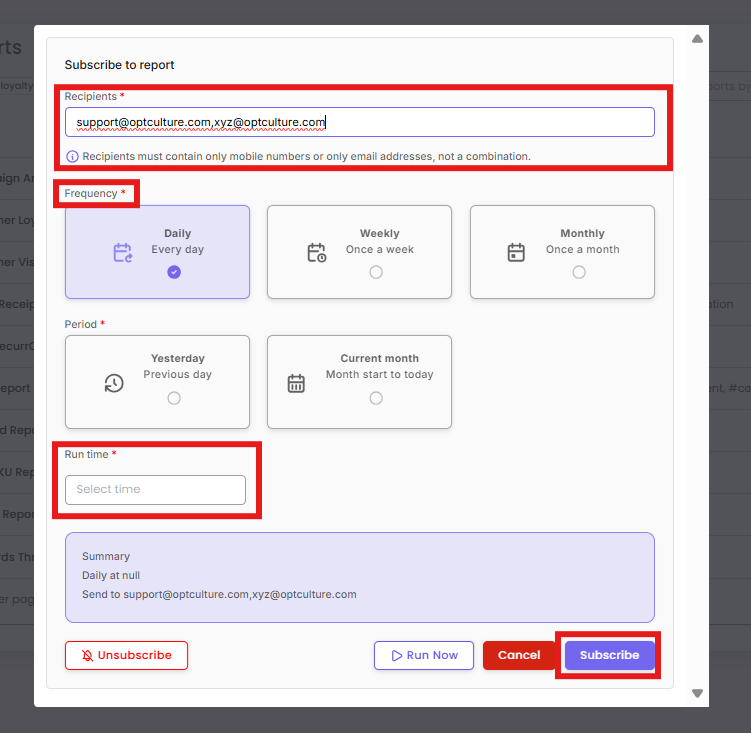
When you click "Subscribe," a configuration window will appear. Follow these steps to tailor the delivery:
-
Recipients: Enter the email addresses or mobile numbers of the stakeholders who need this data.
-
Note: You must use only email addresses or only mobile numbers; do not mix them in one subscription.
-
-
Frequency: Choose how often the report should be sent (Daily, Weekly, or Monthly).
-
Period: Select the data range for the report (e.g., "Yesterday" for daily pulses or "Current month" for month-to-date tracking).
-
Run Time: Specify the exact time you want the report to land in your inbox.
-
Finalize: Review the Summary at the bottom. Click Run Now for an immediate test or Subscribe to save the schedule.