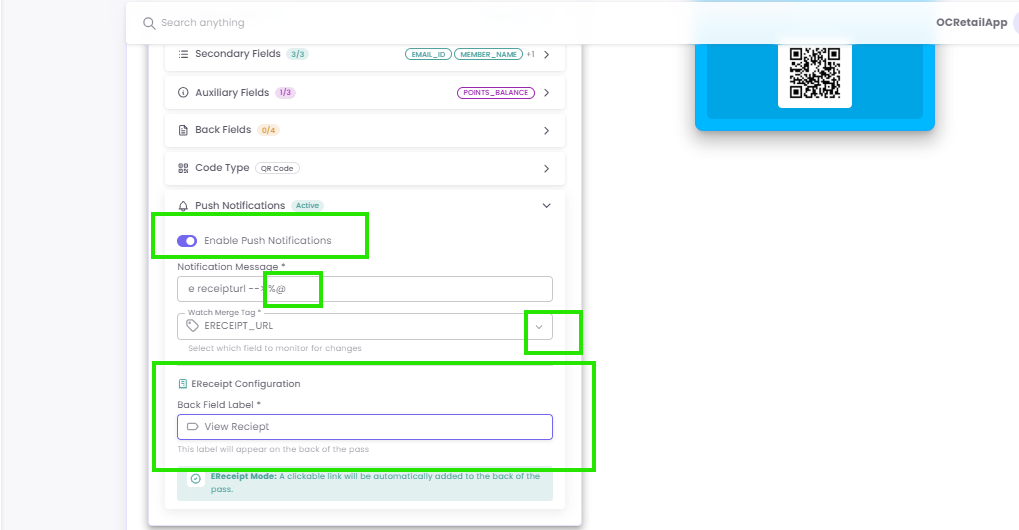
Enabling Real-Time Loyalty Updates
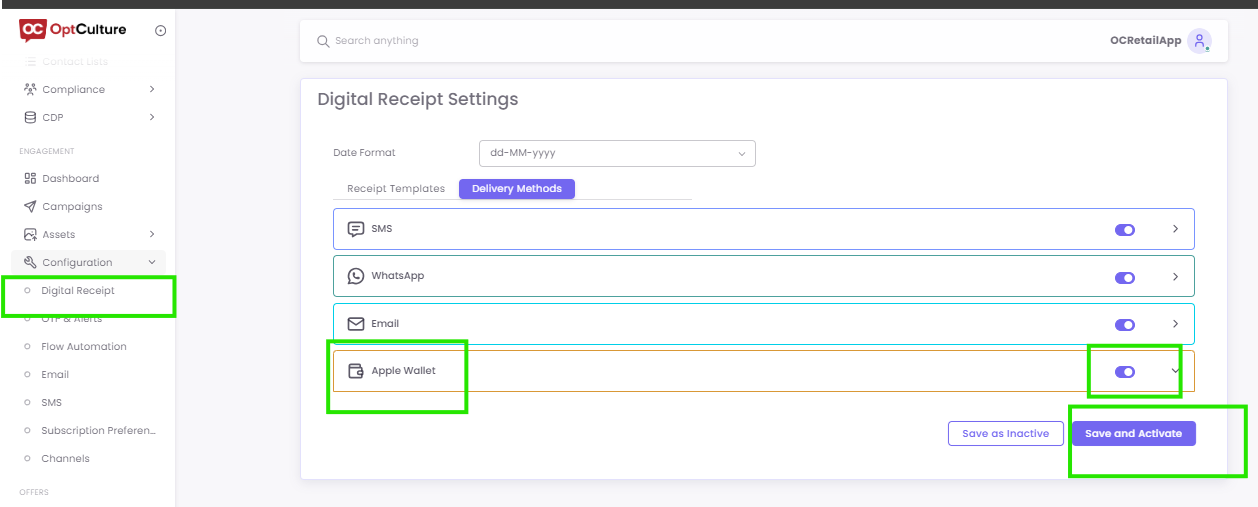
For a pass to be "dynamic" (updating automatically when a customer shops), you must link your digital receipt settings to the wallet delivery system.
Step 1: Digital Receipt Settings
Step 2: Configuring Push Notification Tags
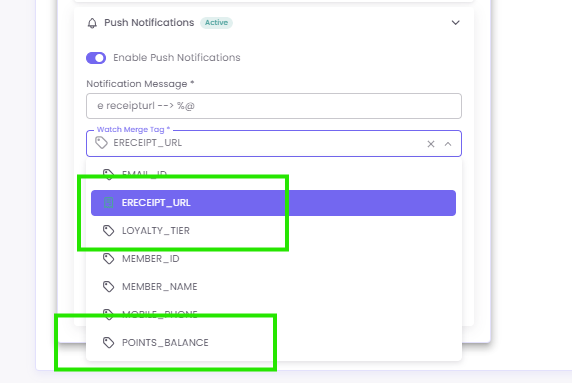
In the Pass Design Page, you can choose which specific data changes trigger a "ping" on the customer's lock screen. You can add the following tags:
-
Point Balance Updates: Notifies the user of their new total after a purchase.
-
Loyalty Tier Updates: Alerts the user when they move from "Silver" to "Gold," for example.
-
E-receipt URL: Sends a direct link to the latest transaction receipt.