Store User Experience
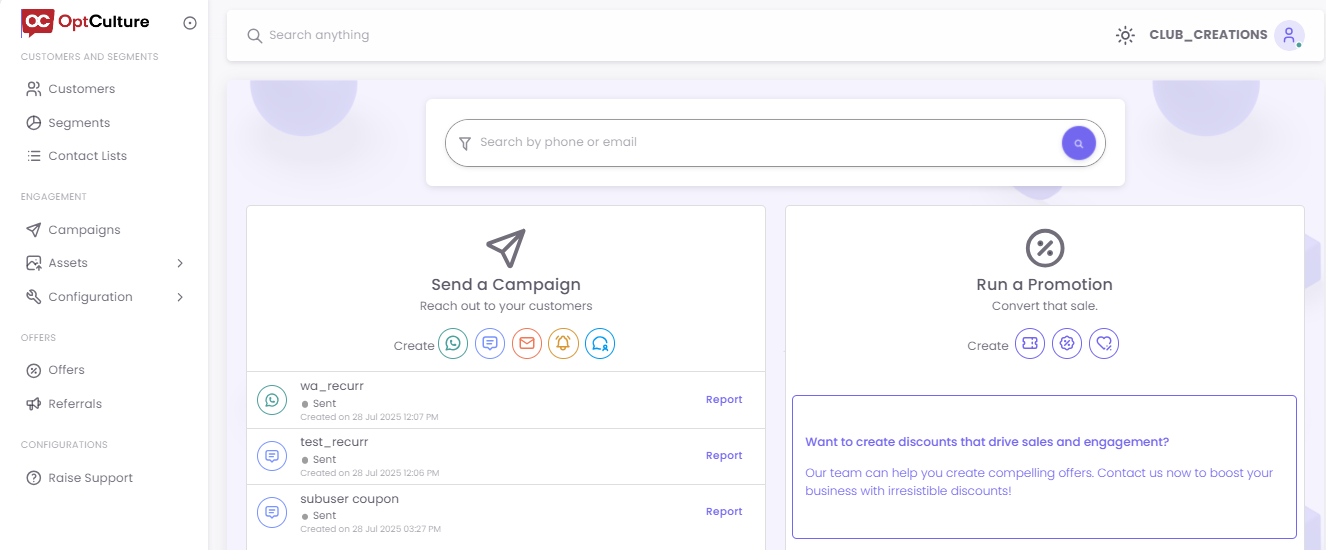
When a Store User logs into their account directly, they are presented with a focused dashboard tailored to their specific location and responsibilities.
The dashboard clearly displays the Store User's account name (e.g., "CLUB_CREATIONS") in the top-right corner. All data, such as customer counts, segments, and campaign reports, is filtered to show information only for their assigned store(s).
From this view, a Store User can perform their key local marketing functions:
-
Sending SMS or Email campaigns.
-
Viewing their store's specific customer data.
-
Using the Offers and Templates prepared for them by the Main User.