
Switch Between Accounts (for Main Users)
As a Main User, you can temporarily log in as any Store User to manage their account, create assets for them (like segments or templates), or troubleshoot issues.
Step 1: Access the Switch Company Option
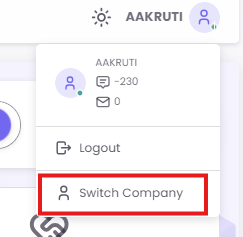
Click on your profile icon in the top-right corner of the screen. From the dropdown menu, select Switch Company.
Step 2: Select a Store User
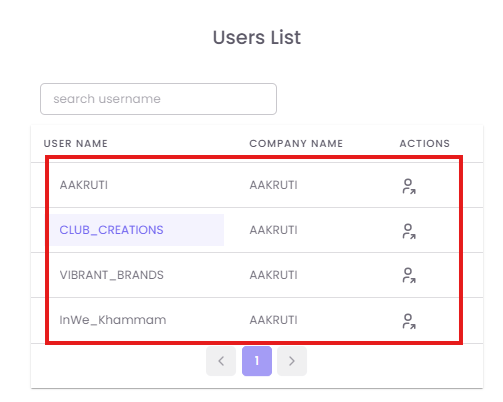
A "Users List" pop-up will appear, showing all available Store User accounts. Click on the user you wish to manage (e.g., "Store_Mumbai_Andheri").
Step 3: Confirm the Switch
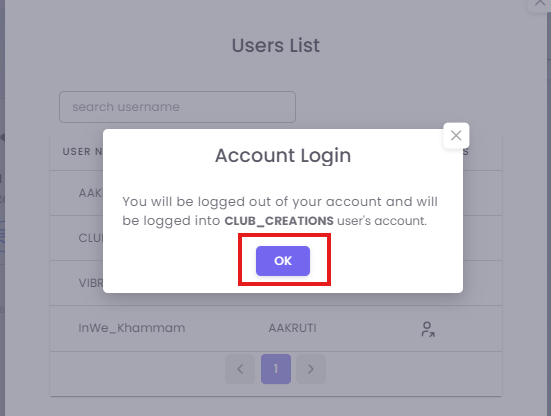
An "Account Login" confirmation dialog will appear, warning you that you will be logged out of your current session and into the selected user's account. Click OK to proceed.
Step 4: Operate as the Store User
The page will refresh, and you will now be operating entirely within the selected Store User's account. You can verify this by looking at the name in the top-right corner, which will now show the Store User's name. You can now create segments or templates that will be saved to this user's account.