
Transfer Loyalty Membership
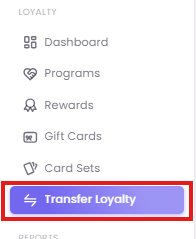
Step 1: Navigate to Transfer Loyalty
Step 2: Find the Source Account (FROM)
First, you must locate the account you want to merge from. This is the "Source" account that will be deactivated.
-
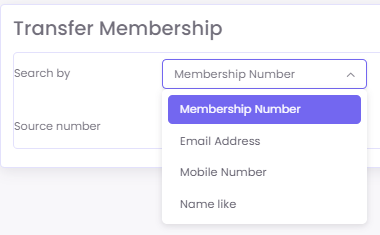
Use the Search by dropdown to select your search criteria. You can search by Membership Number, Email Address, Mobile Number, or Name like.

-
Enter the corresponding value (e.g., the customer's mobile number) in the search box.
-
Click the Filter button.
-
Upon a successful search, the Source number field will be automatically populated with the account's unique membership ID.

Step 3: Specify the Destination Account (TO)
Next, you must identify the account you want to transfer the data to. This is the "Destination" or primary account the customer wishes to keep.
-
In the Destination number field, enter the Membership Number or Mobile Number of the primary account.
-
Crucially, double-check both the Source number (auto-populated) and the Destination number (manually entered) to ensure they are correct.

Step 4: Submit the Transfer
Once you have verified that the Source and Destination accounts are correct, click the Submit button to complete the transfer.

What Happens After a Transfer?
Understanding the outcome of the merge is critical.
-
Data Consolidation: All loyalty points and the current tier status from the source account are merged into the destination account. The system will recalculate the destination account's total balance and tier based on this new data and your loyalty program rules.
-
Source Account Deactivation: The source account (the "from" account) is immediately deactivated. This is done to prevent its future use and avoid data fragmentation.
-
What Does NOT Transfer (Lifetime Spent): The Lifetime Spent (LPV) and transaction history from the source account are NOT transferred. The destination account retains its own LPV and transaction history. Only the points and tier status are merged.