Creating the Referral Program (For the Referrer)
After creating the offer for the new customer, you need to build the program that manages the rewards for the existing customer (the referrer).
Step1: Navigating to Referral Program
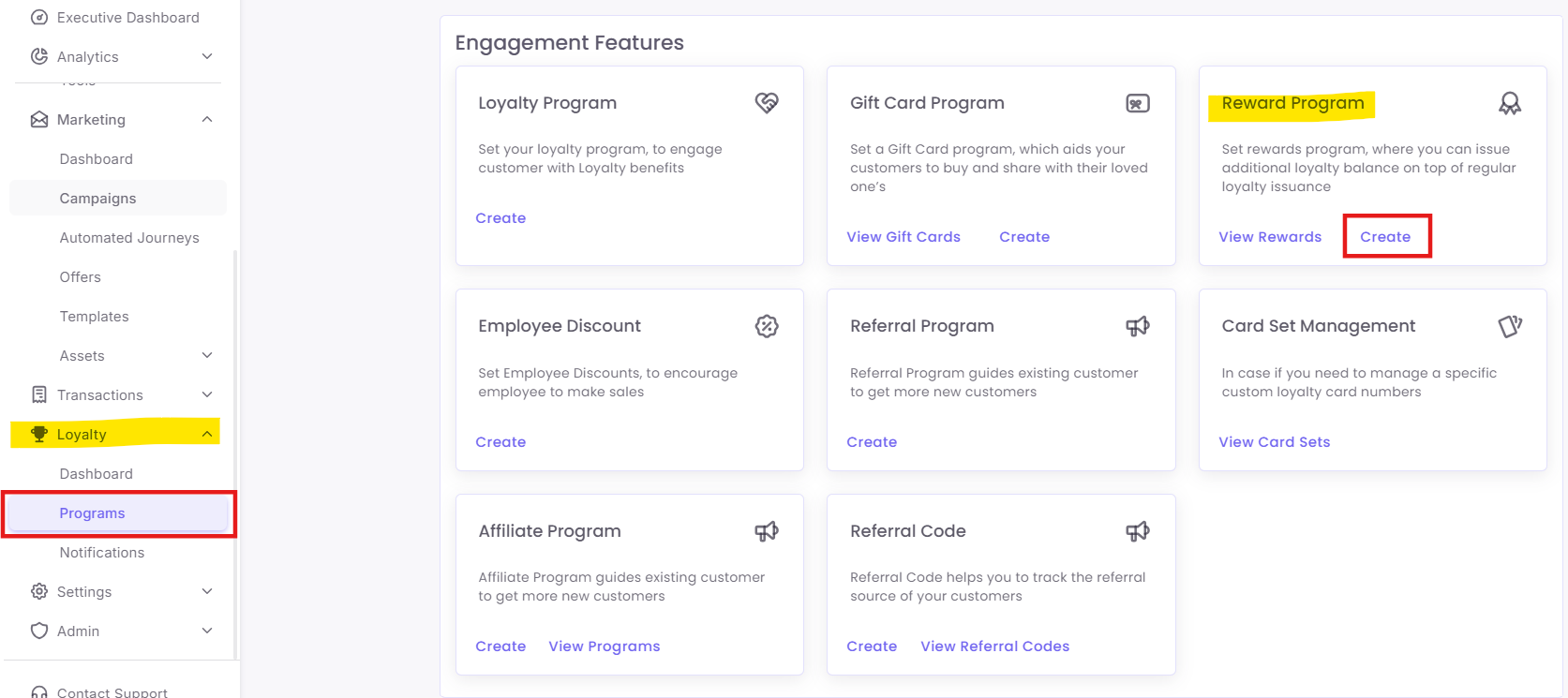
Step2: Configure the Program Details
-
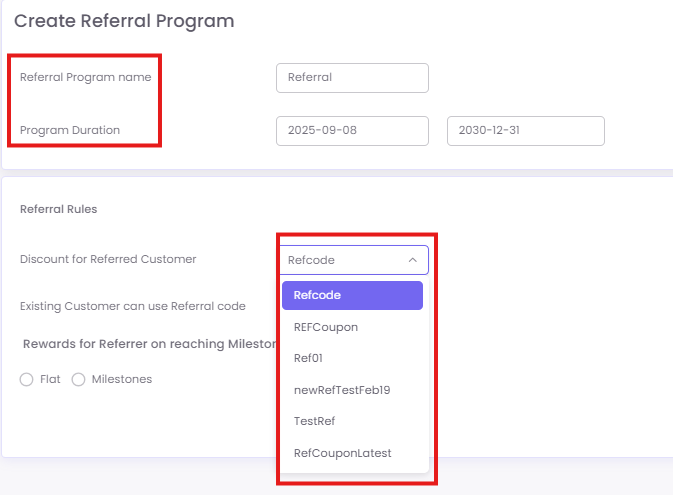
Program Name: Give your program a clear name (e.g., "2024 Give 20 Get 20").
-
Program Duration: Set the start and end dates for the entire referral campaign.
-
Select Referral discount: This is the most important step. From the dropdown, select the 'Referral Offer' you created in Part 1. This links the two parts together.
Step3: Select Referrer Reward Type
Choose how to reward your existing customer.
-
-
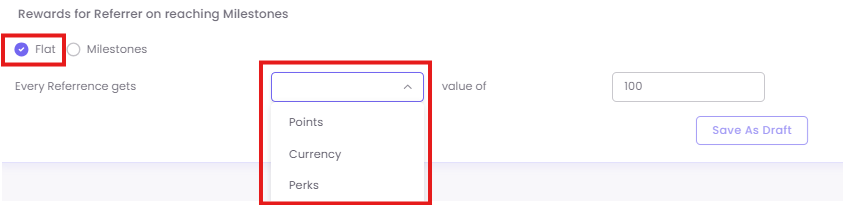
Flat: This option gives the referrer the same reward for every successful referral.
-
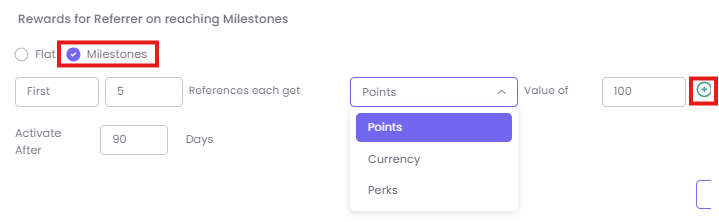
Milestones: This option allows you to reward the referrer with progressively better prizes as they reach certain referral milestones. This is excellent for gamifying the program.
-
-
Step4: Add Reward Details
-
-
If you chose Flat: Define the single reward (e.g., "100 Points" or a "15% Off Coupon").
-
If you chose Milestones: Click the
+button to add multiple tiers.
-
-
Example: Milestone Setup
- Milestone 1: On the 1st successful referral, receive 100 points.
- Milestone 2: On the 5th successful referral, receive 500 bonus points.
- Milestone 3: On the 10th successful referral, receive a 1000 gift card.
Step5: Save the Referral Program
Click Save to launch your program or Save as Draft to finish it later.