
Create a Promotion
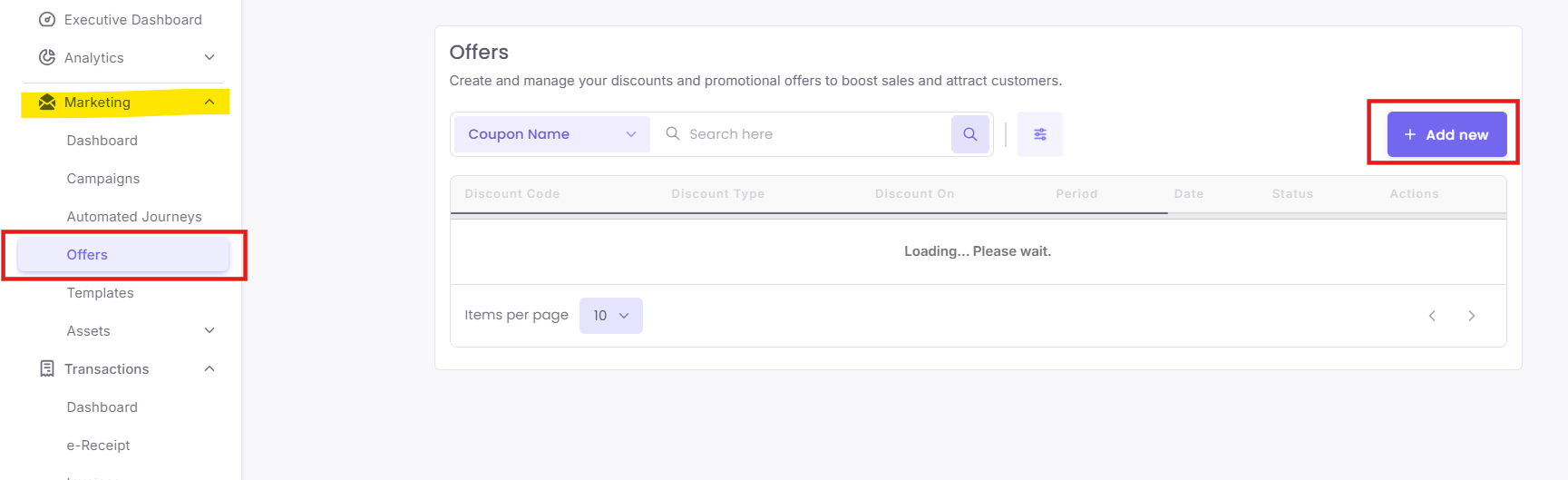
Step 1: Navigate to Discounts
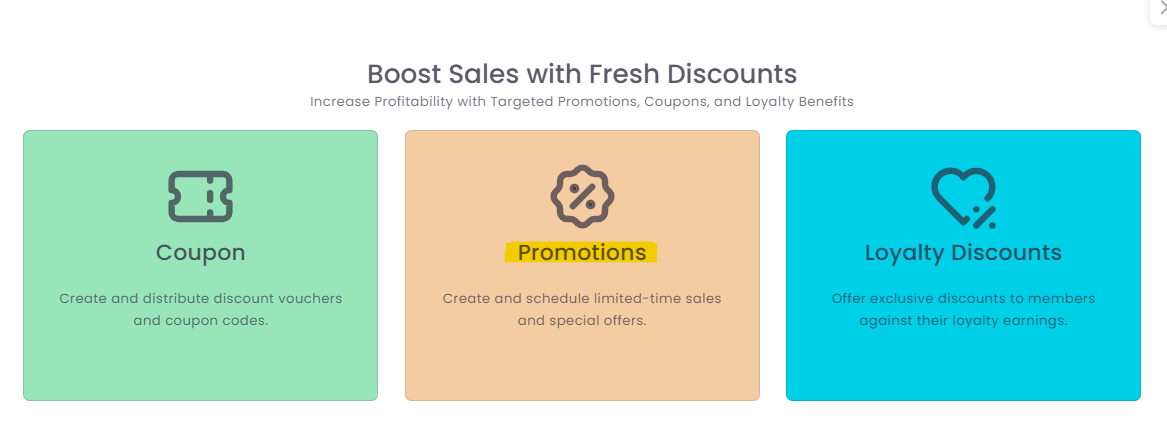
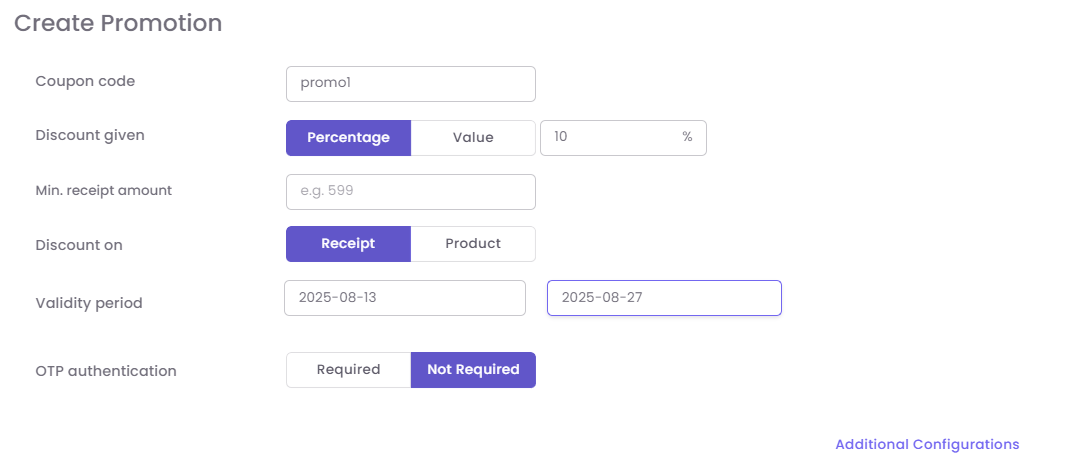
Step 2: Enter Promotion Details
-
-
Promotion Name: An internal name for your reference (e.g., "Summer20").
-
Discount Amount/Percentage: Define the value, such as a fixed $10 off or 15% off.
-
Minimum Receipt Amount: (Optional) Set a minimum purchase value, like $50, required to applicable for discount.
-
Validity Period: Set the start and end dates for the promotion.
-
OTP Authentication: (Optional) Check this box if you require a one-time password at the POS for redemption, adding a layer of security.
-
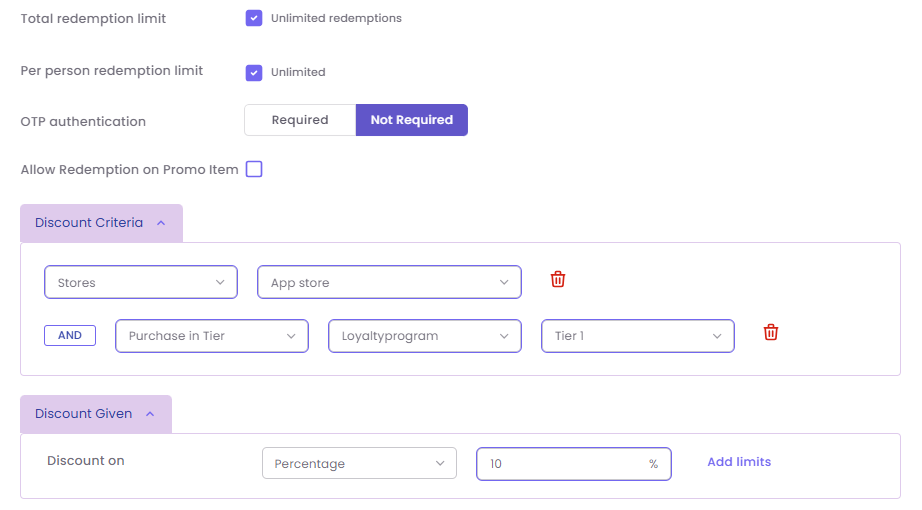
Step 3: Configure Additional Settings:
-
-
Per-Person Redemption Limit: (Optional) Limit how many times one customer can use the promotion (e.g., "Limit 1 per customer").
-
Allow Redemption on Promo Item: Check to allow the discount to stack with other sale items.
-
Discount Criteria: Add multiple conditions.
-
Example: You could create a promotion where a customer gets 20% off (Discount). If their Cart Total is over $100 (Condition 1) AND they purchase from the Apparel category (Condition 2).
-
-
Click Save to create the Promotion.