Configuring Expiry Alerts
Used for time-sensitive campaigns and notifications.
Step1: Navigating to Alerts
-
Select the Expiry alert type from the pop-up.
-
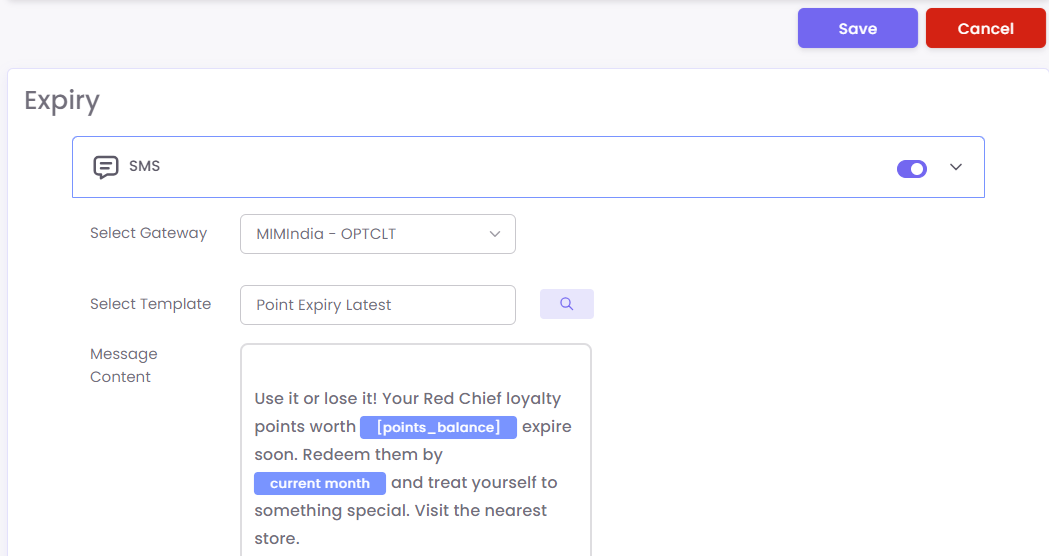
On the configuration screen:
Step2: On the configuration page
-
Enable SMS or WhatsApp or Email channel.
-
Choose the appropriate Gateway.
-
Select a Template.
-
Input your Message Content referencing the expiring item.
Step3: Save to activate
Click Save to activate the alert.
Example Template Content: