Configuring Informational Alerts
For non-OTP, non-expiry related alerts such as notifications, updates, or promotional campaigns.
Step1: Navigating to Informational Alerts
-
Choose the Alerts type from the selection pop-up.
-
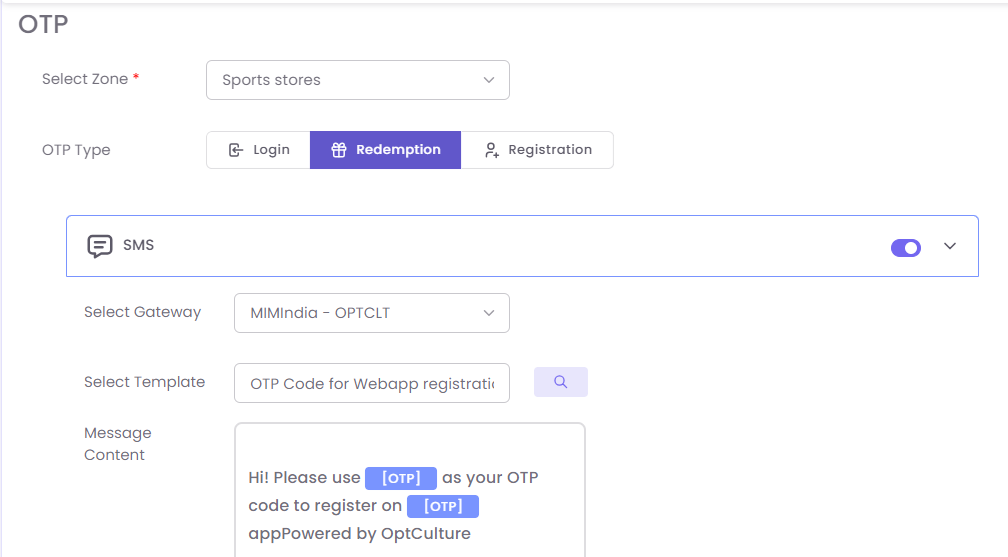
On the configuration screen:
-
Toggle on the required communication channel.
-
Select Gateway and Template.
-
Add appropriate Message Content.
Step2: Managing Existing Alerts
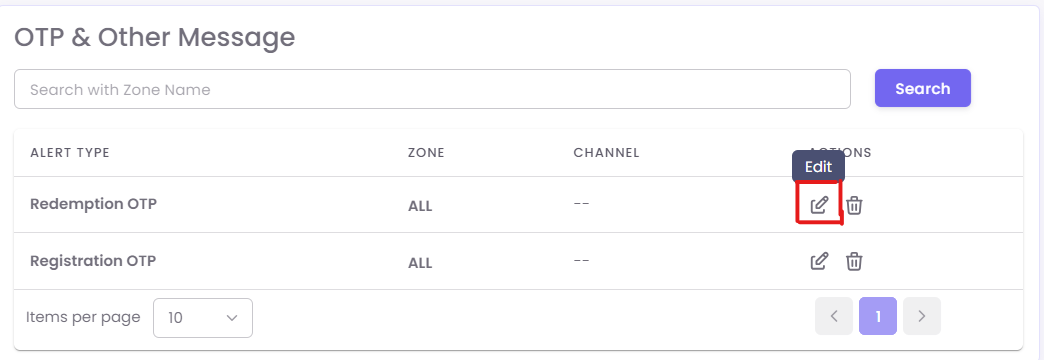
All configured alerts will appear in a tabular list format under OTP & Alerts.
To Edit:
- Locate the alert type (e.g., Redemption OTP).
- Click the edit icon under the Actions column.
- Modify gateway, template, or message content as required.
- Save changes.
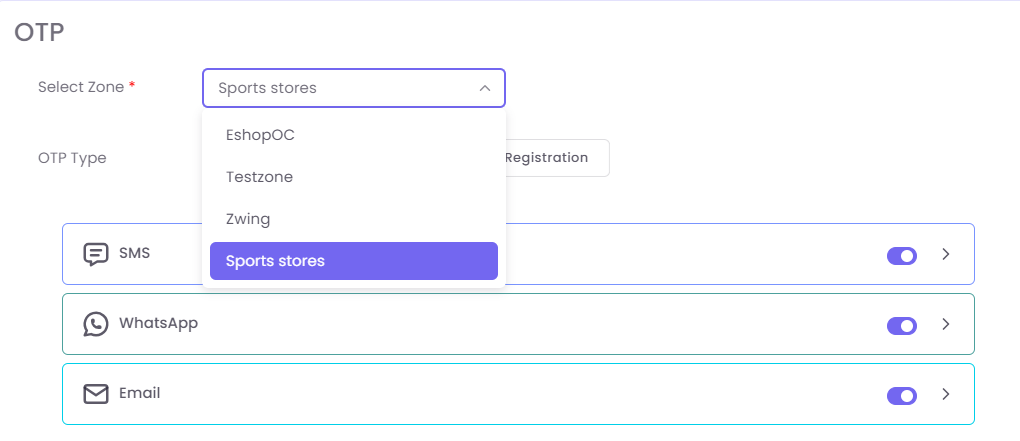
Example Template Content: